Thanks for not letting Thunderbird die. In my opinion it's still the best and most customizable opensource email client and there is just not a viable replacement.
Most of the open source email clients I have tested require you to run a local webserver and access the mail using a web browser with very limited features. All I want/need is a desktop app that can be customized to work similar to Gmail, pulls and deletes emails from remote SMTP/IMAP servers and allows me to create backups locally.
It's been quite a while since I used it, but I recall Kmail being quite customizable. Indeed I actually remember it as being more customizable and had kind of been meaning to switch back to it from Thunderbird (but haven't actually done so because switching mail clients is a pain).
kmail is in terrible state and has been for while (can't even send text email by default for several weeks (months?). IINM a replacement is being developed and kmail is on life support until then.
Everything I've seen in the software industry suggests that these two qualities are at odds. The more config parameters there are, the more bugs and crap there will be. Unless by "best" you mean "most configurable" in which case, sure.
These days I run away from customizability. I'm actively choosing the least customizable software I can find.
Even though Mutt, Alpine, Sup and Notmuch might work great for some people they seem to be accessible only from a terminal, emacs, etc and very text heavy. As much as I love spending time on the terminal, I prefer a GUI app for my email.
Postbox unfortunately doesn't support Linux, besides that while I don't mind paying licences for great software, it doesn't look like Postbox is fully opensource [1].
BTW what makes you prefer GUI over text almost-GUI? My experience with email is that it's 99% text.
I use gmail because of the labels (no, folders are inadequate), full-text search, and the fact that it runs in browser which I keep always open anyway. I wish there was a comparable open-source solution.
> BTW what makes you prefer GUI over text almost-GUI? My experience with email is that it's 99% text.
For me it is the fact that setting up a GUI client takes 10 minutes and learning to use it even less. If it was the same with mutt, I would switch in a heartbeat.
I tried gnus and mutt in the past, but gave up on them after a few days. I was spending too much time tweaking the config, trying to remember shortcuts or googling how to get it to work the way I wanted to. IIRC even displaying Greek with an ok font was a problem on gnus. That was 10+ years ago, could be that the documentation is better now and a good-enough setup is easier to achieve.
My experience is that mutt is a tool which rewards the learning process with massively improved productivity.
By way of contrast, people who use Outlook or Thunderbird feel comfortable in ten minutes, but they never make much progress.
If you deal with a lot of email, using the right tools is important. If email is not your primary communications method, there's no point in putting in the time to learn more advanced tools.
I've been looking for ways to prevent it from opening tabs all around as this change to tabbed UX was forced upon users and confuses most of the people I maintain TB for, even to this day years later.
Is it customizable? That seems like a pretty strange question from someone that maintains it for a user base. Apart from "disabling" tabs what are you looking to customize? Having used TB since inception I might think a more apt question is "What can't you customize?".
I also don't think I understand your tab stance. You don't have to base your usage on tabs, do you? Personally, given the volume and types of mail I deal with, I was waiting for tabs for years. I just want the context menu option to "view message in conversation" to always exist. It dropped off a couple of builds ago and I can't seem to get it back. Usability of mail without this is decreased exponentially.
I don't understand how that changes anything about customization.
But I do understand the tab stance. When anything changes in UIs that directly affects the entire experience it is almost always a hurdle, for sure, no matter how savvy, no matter how willing.
Oh my god. Thank you for this great news. I was almost resigned to see Thunderbird being sunset. It's an amazing client and will only become better by utilising the progress made by Firefox.
I'm pretty thrilled as well. I upgraded Thunderbird to 58beta and it is pretty nice. The visual refresh is welcome and it feels like TB maybe has benefited from some of Firefox's under-the-hood improvements since 52.
Is the new Thunderbird compatible with Microsoft's Exchange email service? If memory serves, I think that was what forced me to switch to the Evolution Mail client (which uses "Exchange Web Services") since my workplace uses Exchange.
With regard to the Photon UI, I'm weary of the calendar button being in the application header like that. It's just not where I would look for it, and I don't see what's different between it and the other buttons that would merit some of them being in the header and some of them not.
Either way, I'm happy that Thunderbird isn't dead. Even version 52 has some nice features that I couldn't find in other clients.
>Is the new Thunderbird compatible with Microsoft's Exchange email service? If memory serves, I think that was what forced me to switch to the Evolution Mail client
I see this very much as a Microsoft problem rather than a Thunderbird problem, although I appreciate that doesn't make your situation better.
I use davmail[1] to solve this problem at work. Davmail sits in your tray, connects to exchange and turns the exchange traffic into standards-compliant mail traffic for your email client.
Of course, you lose some features in the process. About once a month I have to remind HR that the "vote" buttons in exchange are not part of any email client except outlook. Still, it works well for sending/receiving mail and tolerably for handling calendar invites.
>>I see this very much as a Microsoft problem rather than a Thunderbird problem,
In a away yes, but is also a Standards Problem. the Email Standards are shit and have needed to be updated for atleast 2 decades now but no one can agree on what should replace them.
For all of Microsoft failings, EWS and even ActiveSync is superior for syncing a users Mailbox, Calendar and other communication data between a central mail server and many clients...
I've had good success with using davmail[1] with the exchange server at work. It's still hosted on sourceforge, but some extended/community repositories have it as well (like Arch's AUR). It's Java, so relatively portable and easy to get working.
This is my story as well. It's especially the case in a corporate environment when you're the love Linux insurgent holding ground in a sea of Macs and Windows
Just adding my voice to the cacophony of enterprise users, hoping Mozilla takes note.
I'd love to be able to ditch Evolution for Thunderbird but without Exchange it won't happen. I can manage without built-in calendar since Gnome calendar works well and I have my tablet too.
You can do EWS very well through a plugin called ExQuilla. You have to pay some small fee for a license, but you can try it for free. Otherwise, you can go through DavMail, but it's more of a hassle.
I recently paid for Hiri[1], which very smoothly connected with my corporate Exchange server. I haven't used it extensively yet, but the interface is interesting and they seem to be trying to do something different with email.
Unfortunately, this means you can use email, but not the calendar.
(In a slight twist of dramatic irony, we have had the same problem with Outlook 2016 trying to talk to an Exchange 2007 server... ;-) Upgrading the server is on our TODO list for 2018, but for the moment, we have to live with it.)
I'm so glad for some news about Thunderbird's future. A conglomeration of little annoyances made me go hunting for an alternative client earlier in the year, and I just couldn't find one that would really replace it for me.
If any of the team are reading, I hope the search interface is on the radar for when the project is on stable footing again. That's Thunderbird's main area of weakness in my opinion.
I find recent emails with Thunderbird's search pretty reliably, but for indexing a large archive of emails I can definitely recommend Recoll. I have it run a scan daily as a cronjob and it finds absolutely everything.
Search would be fine (for my needs at least) if they'd just (add an option to) do one thing: Skip that stupid search tab and go straight to "open email as list". I don't want full email text sorted by "relevance" (whatever that means for a search on a couple of keywords). I want a list of email threads that match.
This is pretty much the only fly in my Thunderbird ointment. Otherwise it's been a great client for years and I look forward to using it for years more.
I thought thunderbird was in pure maintenance mode and practically abandoned. Has something changed? Is this a maintenance release or is thunderbird starting to be a viable client again?
Basically, they're still under the Mozilla umbrella for legal and fiscal reasons, but all development and operations are completely separate from Mozilla and Firefox.
Thunderbird has always been and continues to be a viable email client-- it just hasn't seen any meaningful development for a heck of a long time. It still _works_. Anyway, hopefully this means development will pick up. It's kinda amazing that it doesn't have multirow views yet.
In Thunderbird, when using a 3-vertical panel layout, the columns get squished (especially long subject lines). It's not a big thing, but I would gladly trade half the vertical space for the ability to fit a couple more fields, like tags and size.
Has it stalled, though? Perhaps they don't see it as a worthwhile feature to focus on. I'm OK with that, even though I'd love to see it implemented. Firefox, OTOH, finally resolved a much more trivial issue 17 years after it was first reported (https://bugzilla.mozilla.org/show_bug.cgi?id=92737) and I'd hardly call that project stalled.
Obviously they decided not to focus on that particular feature, yes. Given its importance, seen as a table stakes UI feature by most other email clients, that clearly indicates development is stalled.
You obviously believe that it's important, but maybe the Thunderbird maintainers don't? I have never had any problem with it, and I'm probably not alone.
I read the comments in the bug linked above. It’s funny that some of the rants mention “I’m switching to X” where X isn’t even around anymore today. TB still works after all this time.
Unrelated to thunderbird, more like how mozilla development works or does not. A new of bugs have been sitting for over 10 years, though they're usually silently closed after a while until someone notices and reopens them.
It could even be something said about other projects who also have bugs sitting for years.
Why would Thunderbird need to change beyond maintenance in order to be "viable" in the first place? Email hasn't changed. It's still solving the same problem. It should be as good as ever.
Tell Google that. :/ Most of my email woes doing support over the years have been Gmail related. Google changes something, suddenly happy email clients cease working as users expect.
Hell, they basically outright are EEE with regard to how they've treated XMPP. I basically just had to stop using Gchat (or whatever it's called now) because its behavior was just so incompatible with Pidgin.
Indeed. While I'm interested to see where this goes, current Thunderbird already does its job pretty well if you want an offline mail client. Security updates and bug fixes are always welcome of course, but I don't see why it's not a viable mail client.
Still the option for basic security such as protecting the access to your mail with a password. 15 years that this feature has been removed with no explanation and that it's not been put back despite feature requests.
This make thunderbird unfit for deployment in places.
How about, once all the maintenance is done,
- Exchange support
- Native Calendar with Exchange and CalDAV support
- Native Contacts with Exchange and CardDAV support
(I'm currently using Evolution, and it mostly works. But elegant or polished it is not.)
While I'm happy they are keeping development up, I'm sad about the 'move to web technologies'. I really like the idea of purpose-built applications in fast languages that compile to efficient native code. I don't really want a webapp, wrapped in a single-app browser, we already have so many of those.
More relevant to Firefox than Thunderbird, perhaps, but the advantage to using web technologies for their own front end is that it forces them to eat their own dogfood at least. Given that Mozilla wants the web to win, making sure their platform is well-rounded enough to performantly build their own products on top of seems like a wise strategy. Kind of a vote of no-confidence otherwise.
I'm sorry, but from the blog article it's not completely clear what this is.
I knew a major rewrite was going to be required with Gecko and XUL being abandoned by Mozilla: is this a step in that direction? Or just a stopgap measure while still relying on legacy code?
I thought that Thunderbird (along with Firefox) was based on the Mozilla application suite which itself was open sourced from the code that Netscape wrote for their browser, mail and news client, and html composer/editor aka Netscape Communicator.
I still use Firefox as my main browser, and Thunderbird as my mail and news client and have been using their earlier incarnations since the Netscape days.
I currently use ThuderBird but I'm very sad about the lack of some basic features (grouping email chains?).
I wish someone would make an open source replacement to Mailspring's sync engine. I'd switch to that as soon as available. I just don't like the thought of someone having hidden code touching my email.
I use that but it's a bit of a mixed bag. Works pretty well in general but sometimes it's just incredibly slow, or decides to display a portait image with 100% width in a half-height view, spanning half a dozen screenfuls, instead of doing something reasonable like resizing so that both dimensions fit.
Seems its just SquirrelMail under the hood though plus a web browser to browse the mail? Or was that Nylas N1?
I also thought it was open source?
I remember back in the days Modest running on Nokia N-series running Maemo. That used a frontend and backend architecture. Why can we not adopt such in the e-mail world? That way, we abstract the data from the clients.
Mozilla rarely impress with the unnecessary UI changes, but for some reason the make sure to deprive the user of the freedom fo choice by removing the previous UI instead of having an option in preferences to choose the UI the user prefer.
Wow, just last night I was thinking about how Thunderbird is getting so long in the tooth. It's still my favorite email client. Happy to see this update!
Thunderbird lacks privacy protection features and integration for GTD flow. I'm waiting for caliopen to be ready for public use and I'll switch all the TB install I maintain to caliopen[1].
Great news!!! Thanks for keeping TB alive for us loyal users. Just yesterday I tried the 58beta and some problems I had with Lightning not loading properly after some restarts, disappeared. The visual refresh with the flat UI was also a nice change. Wish I could contribute...
Awesome news, given that I still use it on a weekly basis on my Linux laptop. I pinned the apt on Ubuntu to make sure it would stay ‘stable’, will take a look at 58 once it goes out of beta.
I have been a heavy thunderbird users for years until about half-year ago, I now move/forward all my email to outlook.com instead, so far it works for me well.
That's achieved with the Lightning add-on, I believe.
I'd like to see Thunderbird focus on separating their mail handling engine from the UI aspects. Much like how the Chrome V8 engine can be used by a variety of projects, it would be nice if a separate open source project could take the Thunderbird engine, and experiment with their own UI.
It would also allow the adoption of newer replacements for IMAP. My hope would be that it could also lead to the replacement of proprietary messaging networks such as Slack, Discourse, etc., with something based on the newer open email format.
WOW, I used to use Thunderbird until around 2010 when I moved to more modern clients, it's so sad to see that they're still stuck in 2010 in terms of design.
What's an example of modern client design? Looking at the "visual refresh" it looked like modern Outlook to me. But, even then, the layout for all the basic desktop email clients (Apple Mail, Outlook, Thunderbird) haven't really changed since the mid-90s. I feel like most of the audience moved to webmail or phone clients--not another desktop client.
I'm probably part of a very small group, but I don't really care for the visual updates (I feel like the average user gets lost with new UI, anyway). I want a tool that can handle a very large amount of email, snappy and quality search, and I do appreciate some of the little "smart" features (reminding to add attachments, delayed/undoable send, calendar integration suggestions). All of those things seem to be smaller bullet points on the product page, each with a lot of work behind them.
Google Inbox would be an example, but there are so many and they all work similarly.
Modern features are snoozing messages, automatic grouping of emails by type (promotions, spam, important, finance, family, etc.), and fewer buttons and options.
Modern design looks nice, and it makes buttons for more common actions more prominent: new message is huge, reply is big, add label very small, etc., while in Thunderbird there are 10 times more buttons, and they're all the same size.
It just needs a lot of work.
I'm not a designer, so I can't pinpoint exactly what's wrong, but those I mentioned are the things that I notice and that I would start from.
As for Google Inbox specifically, it gets rid of all spam and hardly ever gets it wrong. It also encourages you to get rid of useless emails thanks to grouping done well and a few related features, which made me achieve inbox zero for the first time.
Big buttons are not 'modern design' but simply symptoms of the fat fingers on a small touchscreen disease.
Way better to have all UI elements working the same such as button having the same design.
Automatic grouping of emails by type reeks of deep privacy invasion, a trademark of google. Besides this is something you can achieve by setting your inbox with a few folders and filters, this has been available in email clients before gmail existed so it's hardly modern.
WTH is snoozing message ? How does this help with dealing with your email ? Just implement a proper GTD flow and sorting of your email if you cannot refrain from constantly checking your emails when you are not ready to act on it.
Google gets it wrong about spam close to 85% of the time when you are on the sending side from somewhere else than gmail or one of the large centralized email services. Trying to reach someone on a gmail address is guaranteed to give you headache and soon you'll find yourself jumping through many hoops google has set for you, even then it's not uncommon that your recipient never see your very much valid email.
Then again google inbox is not a cross platform desktop email client and is out of bound for anyone caring about privacy or preserving the internet.
I'm genuinely curious; can you name a few more clients and features?
A lot of the things you called out sound like "smart features" more than an overhaul to the app (or significant UI changes). I think a lot of the trendy email applications that came out around 2012 (Sparro and Mailbox), were really interesting, but niche. They've seemed to have all gone away and only nudged the email clients most people use everyday.
I do like Gmails categorization, but I don't know of another client that does it. I also assume it requires a server-side component to look at and categorize email by looking at everyone's. Maybe it could work like spam detection? Again, it sounds difficult to get right--not just a design choice.
Regarding the button size, looking at Google Inbox all of the buttons look proportional to me. Phones lend themselves to multiple rows of varying size icons. Desktops usually have a single vertical or horizontal row. Mixing up the size can waste space. It's funny looking back at screen shots from Thunderbird v1. It had a row of huge icons. They've since been replaced by smaller text-only buttons. Phone and web interfaces have less strict standards and consistency (which I think discourage a lot of people).
I do think they could get rid of some clutter by ditching Chat, Address Book, Tags and Filters, and hide "Get Messages" under a mouseover (like Fastmail's client). Leaving "Write" on the left and and a text box for filtering on the right--perhaps ditching that whole row by integrating those two widgets into other places in the UI. But I also wouldn't mind if they improved the backend, added some of those "smart features" both you and I mentioned, and left the UI as it was years ago.
Actually both, sieve filters automatically based on rules you set (or your admin set for you).
More like same things, only difference is one you are in control and the other you are submitting to a third party who has control over your emails (and probably invades your privacy, profiles you, etc.).
Sparrow has been dead for over 5 years so not exactly a modern thing, it was apple only, not cross platform anyways so not comparable to thunderbird.
Airmail is also apple only so useless to most people.
Mailbox was a phone only app that stopped operating last year, again not a cross platform desktop client.
You're welcome to try again, but AFAIK there are no such "modern" cross platform desktop email client that you throw around as a model to follow.
Even your current Inbox by google is a phone only / web only application and not a cross platform desktop email client.
Claws[1], sylpheed[2] are such cross platform desktop email client competing with thunderbird and I don't any of the features you're complaining about
I do not know what you are referring to when you mention thunderbird has awful spam protection. I maintain a dozen of TB installs and they do a great job of filtering spams for those who do not know better email hygiene.
You should try experiencing email outside of the giant mega centralized repository that is killing the web and internet and see how it's done in the outside world that you seem to not visit often.


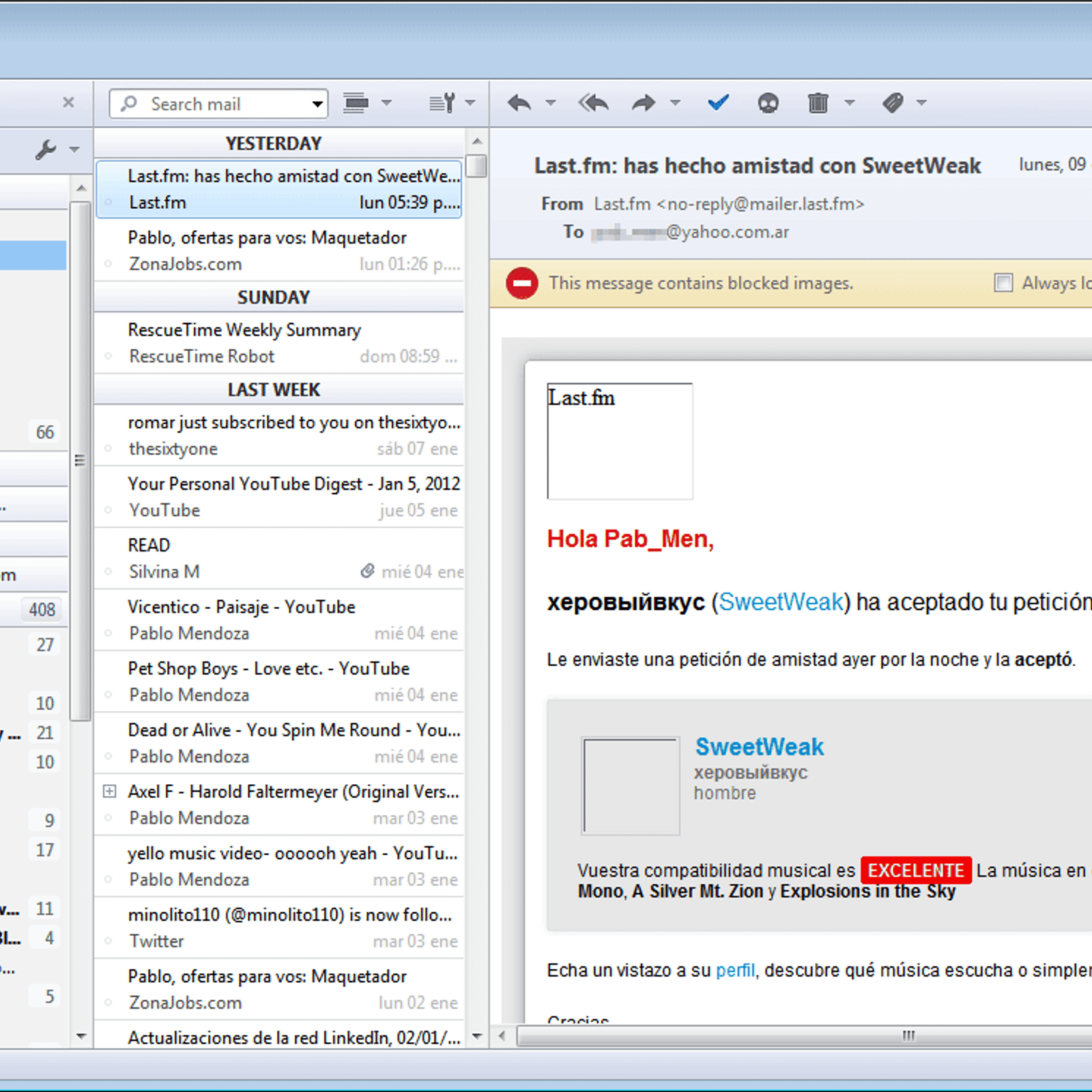
Most of the open source email clients I have tested require you to run a local webserver and access the mail using a web browser with very limited features. All I want/need is a desktop app that can be customized to work similar to Gmail, pulls and deletes emails from remote SMTP/IMAP servers and allows me to create backups locally.
Thunderbird gives me that.