I too instinctively run `w` whenever I log into a machine, and that instinct helped me land my current job.
One hour long component of a (now deprecated) SRE interview loop was for the candidate to SSH into a series of EC2 instances and debug issues which got progressively harder as the interview wore on.
I had wasted a substantial amount of time on the first and easiest problem by really overthinking it, and not trying the simplest of debugging techniques first. By the time I got to the final, hardest problem, I had just over 5 minutes remaining. The interviewer gave me a pass to skip it, but I was having fun, and really wanted to take a crack at it.
The final problem was to try to figure out why logging into a particular machine with SSH was slow. While I sat waiting for a prompt, I had a number of thoughts. Is a reverse DNS lookup timing out? Is there a huge i/o load on the machine? Am I going to have to wire up strace to `sshd` and log in again?
When I finally get to a shell prompt, I instinctively run `w` and it just hangs. I hit ^C, `strace` it, and discover that it's blocking on:
I look up a bit, and discover that file descriptor 5 is /var/run/utmp. So `w` is trying to get an advisory lock on utmp and failing. Then it hits me, `sshd` is likely also trying to acquire a lock on utmp, failing, and then eventually timing out.
A little bit later, I've found and killed the the rogue program that held the lock, and SSH logins were fast again. Solving that last problem so quickly really boosted my spirits, and gave me the energy to push through the harder interviews that came later in the day.
In my opinion, a bit too much trivia to be a valuable indicator of SRE success. It would be really great if a candidate (who rated themselves well in systems debugging) could walk you through the strace output of a command like that.
I really like that idea. It might be fun to be given some `strace` output (with the initial `execve` and writes to stdout/stderr redacted) and then be asked to determine which UNIX command it was, or more broadly what it was doing.
> w # or better yet:last |head # who is/has been in
The post argues that 'last' will not always give the desired information:
> Obviously, I could also use 'last' to see who's been on the box recently, but this isn't the whole story. It's totally possible to "ssh root@box /path/to/command" and never start a login shell, which then leaves no trace in the lastlog, but then goes on to break something on the box. The syslog is how you'd find this.
I can recommend setting up audit beat & kibana or similar. Auditbeat is a recent addition to the Elastic beats agents and it sends audit logs for a lot of things, including ssh logins, system calls, and you can monitor changes to files/directories as well. So, you can flag boxes where people are poking around in /etc, and see which boxes are being accessed via ssh by which user.
We have this and a few other elastic beats on most of our vms in amazon baked into the amis we use. So anything deployed by us starts sending lots of data to our logging cluster for metrics, auditing, internal application events, stacktraces from our docker infrastructure, syslogs, etc.
I run my own web server and email server for my law firm. I'm the only one with credentials to log in (ash), and probably the only one who would even know how to do it, and possibly the only one who knows we have servers.
And I still run w first thing almost every time out of habit.
What am I looking for? A session I accidentally left open somewhere else? Unauthorized access? A friend? Dunno...
You're leaving your firm incredible vulnerable to the "checkyoursudo gets hit by a bus" scenario aren't you? At least let the rest of your firm know you have servers and give some credentials (for another account with sudo permissions) to e.g. a managing partner or similar (with instructions to never use them unless you die).
The problem with the "win-the-lottery-go-to-Fiji-and-never-look-back" as an example is it doesn't quite get the point across because they'll have time to gracefully transfer knowledge and after that they're just somewhere else in the world so I can still theoretically fly over there and beat them with a wrench until I get what I need.
Death is a real thing that really happens to people, and from an organizational perspective it is valuable to keep in mind that no one in your company is immune to that.
Yeah, it's not the same at all. I had an ex-employer that fired me multiple times, and came back to me to get forgotten passwords multiple times.
After a little soul-searching, and deciding I didn't want to harbor anger, I helped him with the ones I remembered each time.
Had I actually been hit by a bus, that wouldn't have been possible at all.
I'm sure that if I'd hit the lottery and gone to Fiji, I'd have been even more likely to help him with those passwords.
In the end, not-burning-that-bridge did help me earn more money as he hired me back several times, and I demanded more money each time until I was asking almost as much per hour as he was getting from his customers and he simply couldn't afford me.
The "hit-by-a-bus" scenario for me is expressed quite often where I work. I have no problem with it, if it is not repeaded a dozen times. Then it starts to sound like a threat..
“depart without notice and without looking back” can be just as much of a threat, though, especially if the person raising the scenario is a Key Person themselves.
"The bus factor is a measurement of the risk resulting from information and capabilities not being shared among team members, from the phrase 'in case they get hit by a bus'. It is also known as the lottery factor, ..."
I guess I have worked with different types of sysadmins.
A good sysadmin has, or at least expresses traits of in their work, pessimism and realism. We have to constantly viscerally feel and know that any component can fail at any time. Remembering your own mortality goes along well with that.
Being easily disturbed by this is not a trait I would like to see in someone with these kinds of responsibilities.
The issue is the new admin has no way to know whether all the processes running before the reboot are configured to come up automatically, and no sense of what external dependencies the server has. Further, the admin is forced to deal with problems reactively at boot time, rather than having the opportunity to gain an understanding of the server setup in advance.
One can also assume that any competent replacement for the "checkyoursudo who was hit by a bus" is able to log into machine after a reboot.
I rather rely on beginner level sysop skills than on management understanding the implications of "this is my access to your mail server, don't handle with care, don't handle at all unless I am run over by a bus".
Interesting that nobody mentioned htop so far (https://en.wikipedia.org/wiki/Htop). It is my favourite command to get a quick glance on the computational facilities of a computer (memory, cores) and what it is doing (load, fancy ps/top). htop is not installed everywhere, but it is easy to make a static build and scp it to the questioned host.
Another very handy command is
sudo netstat -atpn
which shows you the processes and owners of open TCP/UDP ports. The argument combination is as weird as "ps aux" that I just memorized it by heart.
My most common grep phrase is
grep -iIRn
- good for searching in code (when IDE can't find something). You can remove -i if you care about case, but I mostly used it for plsql code, and that's not case-sensitive.
example? I tried a few things, clearly since -r it's not a single file grep, but throwing in -h with -r is confusing. I thought I was pretty good at grepping...
-r everyone needs, but usually -R is a better default since it does not ignore symlinks
-h I practically never use since I'm almost always using grep to find what file I need to further investigate and letting the stuff down the | line deal with it
-o makes sense, kinda, I want to do that in the next stage of the pipe, maybe I have used it once? cant remember
but -w... I feel like I'm missing something there.
I think you have dramatically different usage patterns than me. I use -o all the time. I only know -w for a limited time, but it's one of my favorite options since you can filter out a lot of garbage. You could replace it with grep -P '\bpattern\b', I guess.
I think what you are doing here is search, but -o and -w shine at data extraction and data manipulation. Things you would use Excel for, except on multiple GB files.
Very interesting. I'm still floundering for a use case... can you give an outline if it's difficult to make a specific example?
If you are not using search, but are using a recursive (-r) grep, then you are feeding a bunch of data to your pipe but don't care what file it came from. I get that... I mirrored the SEC's ftp back when it was ftp... and it's interesting for correlation and name stuff... but that's not going to work because it's freeform, and it's millions of small files... so you are using (large) files with a known format? Something like spectral datasets where the fields are passed with the data prefixed with it's important tags? Maybe logs?
cool stuff, i was messing around with this. To then take that list of exceptions and find them back the actual files again, tack on at the end: `| grep -Fwf - *`
Chan is a japanese name ending for children, various communities have created several Anime mascots over the years. Theyre generally suffixed with that -tan, as a cute misspronounciation of chan.
htop is my trusted standby. Fell in love with netdata though. https://github.com/firehol/netdata - since we all do our best to stay away from getting shells on the servers, netdata is awesome
you need -n, otherwise it's trying to RDNS the IP's. It's a dumb default... chatting on the network without you asking while at the same time censoring the data the kernal was using... similarly "ls" might take forever (which matters if it's a big folder and you are piping it's output or just want |head) because it wants to sort (use -f to fix). The ls is a sensible default, often it's for human consumption, and the sort is way faster than a bunch of DNS lookups that could take an arb long time.
A similar issue as with the "-n" flag for netcat exists for "ls": Frequently "ls" is aliased by default in users home directories:
   $ type ls
   ls is aliased to `ls --color=auto'
On slow file systems (for instance, think of shared machines with large directories, NFS and heavy load) this can take ages to give output. Instead, if you just call /bin/ls, this call only calls http://man7.org/linux/man-pages/man3/readdir.3.html and thus gives output promptly.
I've seen \ls used to get the unaliased system version of ls. Likely useful for those commands where you don't want the aliased version and aren't sure if they live in /bin or /usr/bin.
Nice, didn't know about "\ls"! I wonder what's the difference between "\ls" and "command ls". Yes, it's a bit longer to type but the output is the same, I'm asking about what happens behind the scenes.
Genuine question: how many HN readers log on to boxes with user accounts that belong to humans, where some state may have been mutated?
My experience of the last five years is so heavily weighted to (effectively) immutable infrastructure that checking to see who had been on a box hadn't event crossed my mind.
I do that daily. Most of the services we run consist of 1 - 8 application servers ( often closer to 2 than 8), so things like Docker doesn't make much sense. Even though we of cause try to automate as much as possible, using things like Ansible, we often log in to servers directly to verify changes. Database servers are normally manually managed, to some extend, so we'll always login directly.
When I'm on-call and get an alarm on a server, checking that colleagues aren't logged in is normally the first thing you do. If a service fails it's more often than not someone doing maintenance, and they just forgot to tell you, or disable monitoring. And as someone else pointed out, also check disk usage.
Hacker News can be a little blind to the fact that most software projects are rather small and modern servers are really powerful. It's actually pretty rare that someone manages enough infrastructure for a single service that logging isn't a viable option.
Even the word "small" is quite relative. One of my clients is big enough that you've probably heard of them, and their website/app (which is the company's only thing) is one LAMP server. That was only last year upgraded from a Windows 2003 WAMP server on a desktop. I tell friends what I did there and they say "wow you must be really good at Puppet at scale" based on assumptions.
Most people have yet to discover what a tiny little machine can do if you spend some time addressing bottlenecks. I have fond memories of running websites on the cheapest VPSs I could find, and getting very respectable performance from them with little more than cutting down on resource-hungry services, going static html whenever possible and being vigilant about any resources loaded by the browser.
I run a couple of very small scale (mostly static content) web sites and E-mail serving and a few other services on a single "Cheapest VPS" and have never gotten interested in Puppet or Ansible or any of the other things mentioned in this thread. It just seems like adding abstraction and automation on top of things that are not worth abstracting or automating. To me, these things are Yet Another Software That Could Fail. When I need to change a configuration file, I ssh in, sudo vi /etc/blahblah.conf and get on with my life.
I just use versioned Makefiles for my very simple personal projects with my artifacts and configs in git. Pull the repo to the box, and run the make file. I commit config file changes then pull and make as needed. Everything is simple, it's manual automation so there is nothing running, but it's repeatable.
I put the bootstrap into an OS package and my server images point to my personal repo so I can configure run and build time dependencies as needed. At the end of the day, I can get a new server, run update, install my package and walk away and everything should be running, but it takes almost no additional overhead over doing it all by hand the first time.
I also was never interested in Puppet, however I was only interested in Ansible, and only use it as sort of an automated check list when setting up my server, in case I need to rebuild the server, the tedious steps can be automated. But I've never used it for multiple server management.
Avoiding the huge, fast-changing software for configuration management doesn't mean you can't have CM or high availability on cheap boxes. The OpenVMS approach (see Section VI) combined good filesystem, clustering, optional OS-level virtualization, and distributed lock manager to have clustered systems that ran for years without downtime. Record was 17.
Those few building blocks done in a highly-robust way on one of the stable, Linux platforms could probably achieve the same thing. Just RAID 0, a good filesystem, clustering itself, and backups would get far. I know there's Linux-oriented products out there but I don't know if their availability or failover time have caught up yet.
Yep. I got to say to my boss recently "you know those 2-4 servers I requested? You can forgot about that now, I optimized some things and we have plenty of capacity now on the one machine we've been using." That's an easy conversation to have.
I share your viewpoint and am currently thinking through a similiar small-scale deployment. How do you handle logging? For single boxes I'd just use logwatch and friends, but for aggregating log output (both system/application logs) from a small-ish Consul cluster I feel the options are complete overkill. I've had a look at ELK, time-series backed stuff (e.g. Prometheus), but all I really want is log aggregation with search capability and optionally Regexp-based alerting.
It seems to me Logstash provides what I want, but I sure as hell won't run 3 JVMs and a Redis instance to aggregate logs.
tl;dr How to handle log aggregation within a small-scale cluster without losing your sanity?
Monitoring and logging are best separated. Prometheus is great even on a small scale. For log aggregation there is the relatively new oklog.
I have been running oklog for a customer successfully. You ought to deploy it like a regular (non-cloud-native) service though: When a server crashes, restore the oklog instance from backups, not spinning a new one.
Senior sysadmin here, and I agree this is one of the most common methods. I have also had great success tying in the ossec or pam module notifications into syslog messages that all go to the central syslog (nsyslog/rsyslog etc) server. The problem with the elk and similar stacks imho is lack of security and speed. Things this old school setup doesn't have a problem with. The problem is that too many managers don't like not having gui dashboards... which is why splunk et al have really taken off.
This re-enforces my idea that a purely terminal based business dashboard might be a cool product with a fairly large market. I've been eyeballing some of the go/ncurses work for this.
rsyslog or syslog-ng were preferred these days for better security and performance I thought? Unless you’re using something like stunnel to wrap the syslog messages that is.
If you’re not violently opposed to MongoDB Graylog is very popular. I haven’t heard bad things about it so far besides the MongoDB portion but log aggregation is one of those systems that may be ok with some hiccups from time to time as opposed to an actual primary business data store.
We're kinda big on Splunk, everything that remotely looks like log data get shipped of to Splunk.
I've worked with ELK before and I'm not a fan, the usability is very low compared to Splunk. It's much cheaper though. At a previous employer we switch from Splunk to ELK and the number of searches we did on a daily basis dropped to almost zero. Before that almost every support "ticket" would start with a Splunk search.
You could also try out https://www.humio.com. I only seen it deploy by one customer, but it looks nice.
We use Sumologic and it’s really nice. Much better than ELK. I’ve only used splunk in a evaluation context a long time ago, so I’m not sure how they’d compare. Splunk is just so expensive.
I found Sumologic to lack features that ELK has such as packetbeats. But you still have to manage the Sumologic forwarding agent and keep under your ingest limit. Additionally my mind never exactly flowed with their query syntax. They refreshed the UI recently and I liked it (aside from compounding my overutlization of tabs haha), you now more easily/graphically select time series from the graph. I can see how it is nice to not have to worry about re-indexing and what type of device the underlying data rests on. I have not tried the ELK hosted solution so some of my criticisms could apply to it as well.
For simple, non-critical stuff this is the simplest solution I've come up with - if you don't need real-time aggregated logs (i.e. you only want to archive them) and you have log rotation configured, you can simply use cron with "aws s3 sync" or rsync for the logs folder.
On my personal dedicated server, I don't have any kind of "modern" things, I do everything the old way, so I do log manually. It's a feature, it's a way for me to learn old-school sysadmin (and I have so little things on here anyway automation is not needed).
For my startup, I often run bash on Heroku because I do migrations manually (again, it's a feature, I'm too inexperienced to have automated migrations that work everytime, I prefer to be already on it if it breaks). Sometime when something breaks I'll also poke around the filesystem (which is a copy, so no fear to break anything).
Basically, I'd say the smaller your team, your uptime requirements and your traffic is, the less you need automation, and the more you are susceptible to login directly to a box (I combine all of that: team of 1, no uptime requirement, not enough traffic to even max the most basic server).
Counterpoint: Even on my private VPS, I have all the configuration as code. It gives me peace of mind knowing that when a server comes crashing down for whatever reason, I can reinstall it and bring all services back online with not more than one hour of time invested. Time is precious.
(Also, when someone asks me "how do you configure X", I can just link them to the corresponding place in my system configuration repo on Github.)
I have a small handful of VPSes for personal stuff that, more and more, I'm moving away from manual configuration to using ansible.
The reasons for this are several, but the most pressing are that if one falls over I can spin it up again quickly somewhere else, and I can have a lot of commonality in the configurations between them, so they all have backups configured the same way, or setting up letsencrypt requires editing things in only one place.
It also means I don't have to dig through a bunch of config when I want to work out how stuff is set up three years later, I can just look in one version-controlled directory in a central location.
Not to mention that while configuration management "magic" has taken over (Puppet/Chef - or even something higher level) you still need to set up those and you still need to know where to look when things go wrong.
>My experience of the last five years is so heavily weighted to (effectively) immutable infrastructure that checking to see who had been on a box hadn't event crossed my mind.
In web scale production, you mostly have to worry about your fellow sysadmins troubleshooting the problem, and they mostly won't be too mad about you clearing state.
But not everything is web scale production. Productionizing an app is a lot of work. Yes, yes, "Cloud is reliable!" and that's kinda true if you write your application to deal with any failure at any time. the reality is that the hardware can and will sometimes go away without warning, and you can't call up your oncall and tell them to head to the datacenter to fix it. all that recovery is done at the application layer; you had better hope you managed to make the data redundant enough. The whole idea behind the "cloud" is to take most of the lower level sysadmin work and make developers do it; and that's a fine way to some things, but... not so fine when it comes to other things.
(This is the value proposition of a VPS system rather than a "cloud" instance. when the hardware a VPS is on goes down, some poor bastard's pager goes off, and they are expected to wake up, drag themselves to the datacenter and fix it. The gamble is "is being down for a few hours now and again, when you can reasonably expect to be brought back up in the same configuration cheaper than writing your software such that you can always start over on a new node?" The VPS is for the former, the "Cloud" for the latter.)
Add to that, well, a lot of businesses need to run proprietary software. I personally, well, let us just say that for the last three years, the systems I am dealing with at work involve FlexLM.
so corp and smaller sites are littered with one-off systems... systems where if they break, a pager goes off, and someone fixes the problem. Sometimes that works better than the "web scale" stuff... like I've yet to see a "web scale" posix-ish filesystem that meets the user expectations the way NFS does, and I've never seen a nfs server that didn't require someone on pager.
No, but the "bare metal hosts" should be configured through configuration management and all logs sent "off site". I've been in the same boat and never had to log into a bare metal box. K8s and Ansible will do that for ya.
Puppet deploys a variety of host-level agents like L7 routing, dynamic config updaters, the scheduler agent (of course), metrics, logging, and tracing collection. Usually they work, but it’s necessary more often than you’d think to find out why one has fallen over and fix it, and to run diagnostic tools to investigate performance anomalies.
The age of immutable inf. did not completely free us from occasional hotfixing production issues, because immutable deployment takes time, and if it's downtime you're accountable (as sysadmin/devops/whatever).
So I am not the only one to have a slow eployment because re-building AMI and re-provisioning everything takes quite some times.
I also had a difficult time to explain that a prod deploy of 30min (image creation, deploy with blue green) is normal for this kind of inf... Did you face the same thing?
Rebuilding AMIs is not a thing you should be doing every deployment. Sounds like you are on AWS so use proper containers on ECS or EBS. Docker itself caches pretty aggressively. Decompose your projects as well so that the independent parts build and deploy without rebuilding everything else in the project that hasn't changed.
At the end of the day, if you're on continuous deployment, a commit should be rebuilding only what it touches. We have 4 min long deployments + 1.5 min tests and I definitely don't think we're optimizing aggressively.
Things get awkward when versioning standards require all application components to have the same version because several version numbers running around is cognitive overhead that engineers can’t afford in many situations. With more than about 10 components I’ve usually seen it turn into “deploy 10 services that have 10 changes, 9 of which have one commit that bump a version number up.”
Many places still keep producing very stateful software (sometimes even very much by choice) that is better off managed through Puppet / Chef rather than an immutable containerized approach. If your software needs to take an hour and a half to shutdown, for example, you have to get a bit creative with your deployment strategies.
When you have a small number of systems, a small team (possibly one person) and a relatively simple configuration it can be hard to justify spending time and money on a lot of deployment and automation. It isn't that deploying systems as you suggest isn't a better way of doing things. It is just the benefits are far greater at scale. At the scale I typically work it would be over-engineering most of the time.
We have an immutable hosting platform with ansible, but some clients are hosted on their own boxes so we still end up logging into their hosting to sort out their issues (normally they have more problems than we do).
But they aren't interested in investing in more infrastructure when a single LNMP server does the job.
even on immutable hosts it isn't surprising to see somebody has ssh'd in for debugging purposes. they might be attaching a debugger, taking a core dump, or doing a number of other things that could cause a drastic perf hit while not actually mutating the host's state otherwise.
Why take the risk of continuing to run a tainted host, though, if you can just tear it down and spin up a new, clean, untouched one?
I think there’s another level we need beyond treating servers as pets or cattle, which is treating servers as wild animals; after you’ve captured one and interacted with it, you’ve doomed it because now it has the scent of humans on it.
Sure, but that does nothing to prevent the person who invoke the debugger from inadvertently triggering prod alerts, possibly encouraging more folks to ssh in to see what's going on.
There are times when it has to happen. It certainly shouldn't be an every day occurrence, but even in the best environments, there are times when SHTF only under a production workload, and you need an understanding of why yesterday.
Do you know about `comm`? Given two sorted files it will show you in three columns.
    * unique lines to file1
    * unique lines to file2
    * lines common to both files
You can pass it various options to suppress any of the three columns.
I once had an interview at Facebook where one of the problems was easily solved by `comm`. I found it funny that the interviewer, or anyone who reviewed the interview question, had never heard of it. I was a good sport about it though, I ended up writing a janky Perl script that roughly implemented `comm` to solve the problem, which (modulo Perl) was what they wanted me to do.
In that vein, I was asked about implementing n-way merge of logfiles in an interview once. The key insight/recollection they wanted was: use a heap to implement a priority queue. Not sure it was a great question as jumping to employ a data structure like that might suggest premature optimization.
One time I briefly looked at the man pages of all the binaries under /{bin,sbin} /usr/{bin,sbin} that I didn't know about. A basic Debian install has only 555 binaries (https://pastebin.com/raw/VnrqDdq0). Maybe 100-200 are new to you and are worth checking out. Do it.
This is a good strategy. I grew up on SunOS before Linux. It had (has?) a fantastic set of man pages. You could start with "man intro" and go from there. Looks like it still leads you to the "1M System Administration" section:
Then you know it is most likely a NFS/CIFS issue or hard disk failure.
Downside is you need to log in with a new shell and tread lightly because it's easy for anything to get stuck in that state. Checking the syslog for NFS errors is a good place to start, or inspecting the fstab to see what is supposed to be mounted.
You wouldn't. If the filesystem is hung, or if some common path is never yielding out of blocking-no-matter-what-calls (e.g. stat()), then the presence of the hang itself would indicate an issue. The isolation process for me would probably be something like:
1. df -h; notice that it hangs.
2. Log in to a new shell, 'strace' the old process or a new one doing the same thing, see what path it was choking on.
3. If the breakage is on an external/network filesystem, reboot the host in almost every case. Unless it was happily completing day 364/365 of some incredibly important task elsewhere, it's just not worth my time to remount a dead share and go clean up everything that was broken trying to talk to the old one. I've had database servers lose some random NFS share that the DB process wasn't using, then crash months later due to PID exhaustion because some monitoring script in cron that kept trying to talk to a somehow-corrupted mountpoint and hanging forever. Yes, timeouts and client programs should be able to handle these failures perfectly in theory. Given my experience, I have very little faith in theory matching up with reality.
4. If it's on an internal drive, check dmesg/syslog (if I can) for any smoking guns. Reboot and see if the problem goes away. If it does, unless I can find something blindingly obvious indicating that the issue was transient and unlikely to reoccur, I'm probably reprovisioning the system after a hardware diagnostic. Even if the server isn't critical and just serves a cat blog or whatever, it's not worth my time and repeated head-scratching to deal with issues like this more than once per host.
5. If I need data off of the questionable filesystem, I'll get it exclusively via a recovery environment; not worth the risk in the case of a flaky/failing drive otherwise (this applies even if the server itself was virtualized). I hope the server had some sort of LOM console set up so I can do that, otherwise someone's getting travel expenses for my trip onsite.
Interesting (well, interesting to me) note on the nfs case, on modern linux, `umount -l` should be able to unmount pretty much anything. You'll often still be left with a pile of processes stuck in uninterruptible sleep depending on the scope of the 'random share', but at the very least it can staunch the bleeding and let you move around.
TBH I get rather claustrophobic when I can't `w` with aplomb.
I had a similar incident (I was able to ctrl-c out of the hanging df -h though). Luckily dmesg gave me something super clear (like `nfs host <blah> unreachable`), so I did a `umount -l` (lazy) on `/mnt/net/<blah>` and things were OK.
Anecdocte: our sysadmin set similar thing up (at 90%) at one of my boxes. but conflicting configuration of debian os also reserved 15% of capacity for OS, so system became completely unresponsive at 85% full disk, without emailing message about free space - 85% was for our purpose effectively 100% full disk.
Still dont know what lesson I should learn from this story.
Reserved capacity as in `sudo tune2fs <volume> | grep Reserved block count`? Those should already be excluded from available diskspace, so that is kind of interesting.
I am not sure how he was getting free space for email warning, but in final state, running df showed plenty of space on disk, although writing to files signals "no disk space" error.
Reserved capacity is reserved for use by root, so when a process running as root runs df (or any similar command or syscall), then it sees that capacity as available. Kinda useless these days, but was very useful back when you might have server daemons and a bunch of normal users with shell accounts on the same machine.
-m reserved-blocks-percentage
Set the percentage of the filesystem which may only be
allocated by privileged processes. Reserving some number of
filesystem blocks for use by privi‐ leged processes is done to
avoid filesystem fragmentation, and to allow system daemons,
such as syslogd(8), to continue to function correctly after
non- privileged processes are prevented from writing to the
filesystem. Normally, the default percentage of reserved
blocks is 5%.
-g group
Set the group which can use the reserved filesystem blocks.
The group parameter can be a numerical gid or a group name. If
a group name is given, it is converted to a numerical gid
before it is stored in the superblock.
> when a process running as root runs df (or any similar command or syscall), then it sees that capacity as available.
I have never seen that. I have only ever seen the “real” available space being shown by tune2fs, not df or anything similar, which have always shown the space available after subtracting the reserved space.
Not OP, but we use Nagios XI for such alerting, it provides SMS and email monitoring for infrastructure (disk space as an example) and service monitoring. [1]
Their open source NCPA (Nagios Cross Platform agent) plugin for Windows and Linux hosts is pretty great, though we were stung when we found out it didn't natively support SPARC as of yet unless you compiled your own client from the source (I did). [2]
Plenty of other monitoring services equivalent to Nagios offer equivalent services. Nagios was just the flavour I suggested to my current employer because of my familiarity with the product over my last few employments.
If you don't want to fork out the licensing for the supported version (XI), their open source version is free and relatively easy to deploy using Ansible if you don't mind writing in PHP. [3]
I will give a simplified example of the only product I've used for this: Zabbix. Disclaimer: I'm not a sysadmin but a developer, who happened to work somewhere they used Zabbix for monitoring all kinds of network devices, databases, services, etc. Perhaps there are better solutions available, I welcome any discussion on that.
Deploying Zabbix roughly consists of setting up one (or more) Zabbix Master servers, and installing a 'zabbix-agent' process on each device you want to monitor. The agent process extracts a variety of statistics about the system and makes them available to the Monitoring server, either in push ("active") or pull ("passive") fashion.
The Master logs all of these statistics over time. You can then define 'Triggers' that apply logical tests to statistics, such as "in the last 5 minutes, was the free diskspace < 10GB". When this happens, it triggers an event.
It's very straight forward to setup. I have used Prometheus for the same and so far the experience has been much better compared to Zabbix.
# node_exporter on the client to get metrics
# prometheus on server to pull the metrics from node_exporter
# alertmanager for raising alerts
# grafana on top of it for pretty graphs(optional)
I don’t I rather run top to see some stats of the system. Mostly I am checking for slow downs and that shows me load mem consumption etc.
Diskspace is rarely the case
Most of the time some database connection is laggy
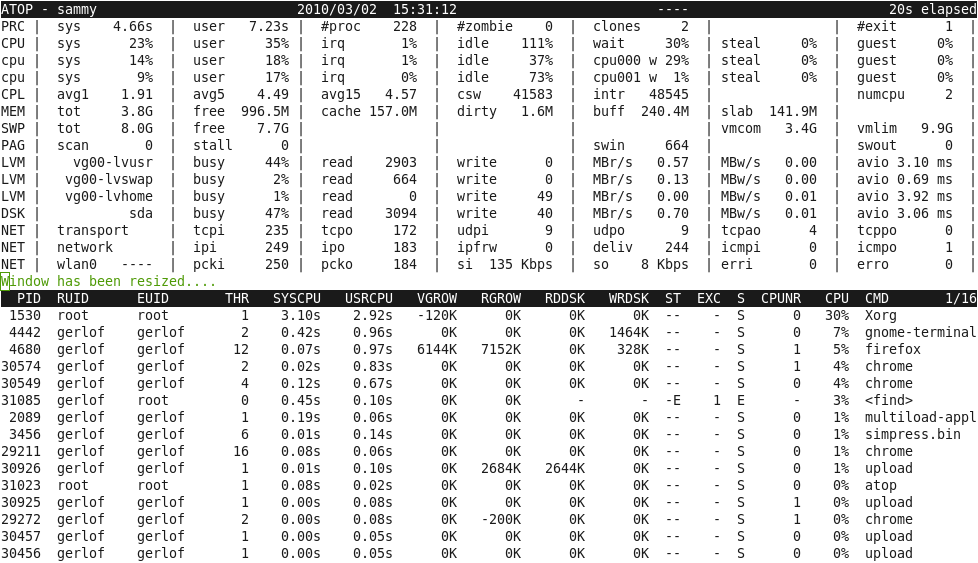
atop is best top. One of the few bits of software I evangelise.
Writes to replayable binary logfile with 10 minute system-state snapshots and uses process accounting to ensure it see's every process during that time.
Gives more metrics than any other top; including network, disk and all the counters that you have to check the man page to know what they refer to.
Its counterpart atopsar lets you replay the data for specific stats in an easily viewable format; i.e; - atopsar -m - this shows the memory stats for todays logfile in 10 minute increments.
It goes on every single server I manage without exception. With atop you can actually see why it died instead of guessing from old log entries.
I sometimes hear about “atop”, wonder “Why don’t I have this installed?”, install it, discover that it starts (and requires) two additional daemon processes, at which point I remember, and promptly uninstall it again.
Yes; the bit that manages the process accounting and the other bit for writing the log files...
Personally I consider two processes and 40MB of ram to be negligible for the benefits it brings.
You can indeed use it as a standalone top without either of these processes too. You're just giving up one of the main benefits (replayable logs) outside of the extra stats.
It's private, so kernel updates aren't a security issue.
(Keeeping this on-topic, "history" tells me the most frequent thing I do on this node is "sudo iftop"; we've been doubting the accuracy of our monitoring system's network utilization graphs.)
I think her thinking was "the problem started recently (~days), did the box get rebooted recently (~days) which might indicate when the problem started", rather than it should have been rebooted recently.
> If you want to impress me, set up a system at your company that will reimage a box within 48 hours of someone logging in as root and/or doing something privileged with sudo (or its local equivalent). If you can do that and make it stick, it will keep randos from leaving experiments on boxes which persist for months (or years...) and make things unnecessarily interesting for others down the road.
Ferrari does this. They do a lot of experimentation on their most expensive internal test equipment, and every now and then the whole box is re-imaged automatically, even if it's completely locked down from outside. It's their internal staff who is corrupting/improving the system. Only if it's a really good and well-tested improvement they will make it stick.
I stick to serverless setups and platforms like Heroku wherever I can. The whole idea of state being stored on a web server or having to SSH in to them to do any form of admin makes my skin crawl now.
I think it's more the case that typical e.g. VPS setups introduce state where you shouldn't have state at all.
Web servers for example should typically have minimal state for scalability and robustness but for most VPS setups this is not the case. If the VPS got wiped it could take days of work to get up and running again, and if you wanted to scale horizontally you'll have some reengineering to do. You could try and replicate something like Heroku yourself to minimise state on your web servers but it'll take you a lot of time and won't be as robust.
"some information"? Did you look at all the plugins and output options? gtop is cool, but I typically don't run node on all my servers. Call me old-fashioned...
They have nearly the same information a normal user could get by running atop themselves, which reads the world-readable virtual files found in /proc. If you are using something like selinux to restrict access to /proc files, the same system could be used to restrict access to the /var/log files.
This is the sort of article that I keep coming back to HN for. It's not politics. It's pure and simple technical advice with reasonable back and forth opinions from the community (other than the "if you want to impress me" guy). And nobody wants to take my 2A right, sorry, my right to use 2FA!
- the author seems to call out specific individuals, by name, to their team leads, based on where they were ssh'd in, instead of bringing up the issue with that person first and asking for the logic of why they were on the box doing the thing (sounds like a lot of assumptions combined with finger pointing)
- it sounds like there's no well-configured monitoring or observability at the DC/rack/machine level involved, at all, which is surprising in a modern enterprise setup
> the author seems to call out specific individuals, by name, to their team leads, based on where they were ssh'd in, instead of bringing up the issue with that person first and asking for the logic of why they were on the box doing the thing (sounds like a lot of assumptions combined with finger pointing)
I'm not sure why you would assume that. She specifically says "The next thing I'd do is to go get in touch with that person."
Perhaps you're keying off "I've been able to track down some well-meaning but ultimately flawed attempts at fixing things that then blew up and became something much bigger. The folks who I pinged about it were amazed that I somehow had managed to "guess" that a specific member of their team had been poking at a specific box"? But keep in mind, that's specifically events that became a large issue. Is it not appropriate to notify management as to the cause of the issue? Either it's a first time mistake or not something the person may necessarily have known to look out for, in which case management should be lenient, or it's the latest in a string of events and management should possible take some other action.
If nothing else, it allows management for that other team to say "hey, we don't need to be messing with this aspect of the server. Either contact the team whose responsibility it is and get them to do the work, or get them to sign off on it first."
On call person was on a plane. They did something using intermittent connectivity and made a mistake. Other person on the ground is helping until the first one lands. I tell #2 about a box touched by #1 and ask them to have a look.
They did and they figured it out. Outage resolved.
Why did you automatically assume I ratted them out to management? At no point does the story go there.
I’m really curious, since misunderstandings like this can really poison a working environment when people think you’re doing things you’re not. I want to know what sent you down the wrong path here.
Commenters tend to proclaim bad intentions when none is present when they either skimmed without reading or that they are lashing out to compensate for some weird insecurity, e.g. "I caused an outage once and I didn't want anyone to ask me and find out! How dare you want to know!?"
> "I've been able to track down some well-meaning but ultimately flawed attempts at fixing things that then blew up and became something much bigger. The folks who I pinged about it were amazed that I somehow had managed to "guess" that a specific member of their team had been poking at a specific box"?
read like "I didn't like what someone did on a machine I had to troubleshoot, and told their manager" to me.
I was also reading this prior to coffee, mea culpa.
After running w, “The next thing I'd do is to go get in touch with that person. It would be foolish to continue when the answer might be a few short chat messages away.”
> If you want to impress me, set up a system at your company that will reimage a box within 48 hours of someone logging in as root and/or doing something privileged with sudo (or its local equivalent). If you can do that and make it stick, it will keep randos from leaving experiments on boxes ...
Rachel’s starting point here is a fair few steps ahead of ”it’s called chef”. For one, chef only fixes the things that you explicitly tell it to. When you have enough machines and enough people poking at them, you’re more or less guaranteed that someone somewhere will have gotten a machine or three in a state chef can’t recover from — hence her suggestion of reimaging.
High availability IP for your dhcp for "next-server", so you can boot one server from another one.
Mikrotik routers and switches can boot from dhcp (or bootp?), but yes a typical switch can't.
Not a network person, but I assume you can give fine grained enough control that you can't do a "copy running-config startup-config" on a cisco switch, so have a startup config that boots to a known basic state then tftps it's config from your HA dhcp server.
> If you want to impress me, set up a system at your company that will reimage a box within 48 hours of someone logging in as root and/or doing something privileged with sudo (or its local equivalent).
Why revert it in the first place? Why not deny the changes? Doesn't this indicate that the wrong people have root access?


One hour long component of a (now deprecated) SRE interview loop was for the candidate to SSH into a series of EC2 instances and debug issues which got progressively harder as the interview wore on.
I had wasted a substantial amount of time on the first and easiest problem by really overthinking it, and not trying the simplest of debugging techniques first. By the time I got to the final, hardest problem, I had just over 5 minutes remaining. The interviewer gave me a pass to skip it, but I was having fun, and really wanted to take a crack at it.
The final problem was to try to figure out why logging into a particular machine with SSH was slow. While I sat waiting for a prompt, I had a number of thoughts. Is a reverse DNS lookup timing out? Is there a huge i/o load on the machine? Am I going to have to wire up strace to `sshd` and log in again?
When I finally get to a shell prompt, I instinctively run `w` and it just hangs. I hit ^C, `strace` it, and discover that it's blocking on:
I look up a bit, and discover that file descriptor 5 is /var/run/utmp. So `w` is trying to get an advisory lock on utmp and failing. Then it hits me, `sshd` is likely also trying to acquire a lock on utmp, failing, and then eventually timing out.A little bit later, I've found and killed the the rogue program that held the lock, and SSH logins were fast again. Solving that last problem so quickly really boosted my spirits, and gave me the energy to push through the harder interviews that came later in the day.
Thanks w!