You're essentially saying that any computer with a metal case, or extensive metal shielding inside could suffer the same problem. HP makes a number of metal laptops, for instance, in an effort to make them more recyclable, the same reasoning behind Apple's materials decision.
Why would I buy a Lenovo T-series? It looks virtually indistinguishable from any laptop made in the late 1990s and still has that absurd red joystick. I hope they've improved the trackpad because those were nearly unusable before.
I know there's Lenovo fans, ThinkPad fanatics, but they look like junk and feel even crappier. The new Dell Ubuntu laptop is the only thing I can think of as a reasonable alternative to what Apple's doing.
> Why would I buy a Lenovo T-series? It looks virtually indistinguishable from any laptop made in the late 1990s and still has that absurd red joystick.
And with that statement you just exposed how ignorant you really are. The TrackPoint is far superior to any trackpad out there. In fact, I don't even use a mouse with my desktop - I have a USB version of the ThinkPad keyboard[0]. With the TrackPoint, you can use the mouse without ever moving your hand from the home position on the keyboard. It's more efficient than a mouse, and much, much more efficient than a trackpad.
And instead of the stupid "two-finger scrolling" you see on Macs these days, you can hold the middle mouse button and push up or down with the TrackPoint to scroll infinitely.
And the reason why the ThinkPad design has stayed the same since the 90s is because ThinkPad users aren't chasing after the latest shiny bauble - they want a device on which they can get their work done. The ThinkPad design is timeless in that it gets out of your way so that you can focus on what is important.
Apple has to make sure they regularly have shiny new product designs to keep their customer base happy because their customers are more interested in looks than functionality.
> I know there's Lenovo fans, ThinkPad fanatics, but they look like junk and feel even crappier.
You really need to stop drinking the Apple Kool-aid and realize that there are far superior laptops to the MacBooks.
You come across as an Apple hater here. You're not making objective arguments or even providing personal anecdotes. You're just pushing your personal opinion as fact.
> And with that statement you just exposed how ignorant you really are. The TrackPoint is far superior to any trackpad out there.
When you call someone ignorant, you should typically follow up with a factual statement and not just your personal opinion. In my experience, the TrackPoint is tedious and awkward. Good for you if you like it, but everyone else in the world isn't "ignorant" for having a different opinion.
> It's more efficient than a mouse, and much, much more efficient than a trackpad.
Not in my experience, but a bigger issue is that the TrackPoint is abstracted further, which makes it less intuitive. If touching something on the screen directly is a first-level abstraction, introducing a mouse or trackpad is a second-level abstraction, because your motions are moving a proxy (the cursor) around on screen. The TrackPoint is a third-level abstraction, because you're using a joystick to move the proxy, so your motions are no longer paralleled on the screen (i.e. the cursor moves but you didn't actually move the TrackPoint).
> And the reason why the ThinkPad design has stayed the same since the 90s is because ThinkPad users aren't chasing after the latest shiny bauble - they want a device on which they can get their work done. The ThinkPad design is timeless in that it gets out of your way so that you can focus on what is important.
Apple has to make sure they regularly have shiny new product designs to keep their customer base happy because their customers are more interested in looks than functionality.
This is just unadulterated Apple hate combined with some vacuous claims. This doesn't convince anyone that you're correct. It just makes you sound petty and bitter.
> When you call someone ignorant, you should typically follow up with a factual statement and not just your personal opinion.
Funny, this is what I would call "personal opinion":
> the TrackPoint is tedious and awkward
And this is what I would call a "factual statement":
> It's a simple matter of efficiency. When using a trackpad, you have to move your hand off of the keyboard and down several inches. When using the TrackPoint, you do not - the TrackPoint is accessible with your index finger from the keyboard's home row. All 3 mouse buttons are accessible with your thumbs while your fingers rest on the home row.
> When using a trackpad to scroll, you have to keep lifting your hand off the trackpad and moving it back to the other side of the trackpad to continue scrolling. With the TrackPoint, you just hold down the middle mouse button and push the TrackPoint in the direction you want to go, for as long as you want. How is this even comparable?
I would say that I have provided a much more factual basis for my argument than your explanation that it's "tedious and awkward".
> The TrackPoint is a third-level abstraction, because you're using a joystick to move the proxy, so your motions are no longer paralleled on the screen (i.e. the cursor moves but you didn't actually move the TrackPoint).
The fact that the TrackPoint doesn't move is an advantage, not a disadvantage. It allows you to scroll infinitely, never move your hand from the home row, etc.
Getting used to the TrackPoint is just a matter of time (a few days for me), but having to move your hands a lot when using a trackpad or mouse will never change - it's physical reality.
And if it's so difficult to use a joystick to control things, how is it that millions of people are able to play console video games without any problem? Many of the people who complain about the TrackPoint are the same people who play Wii, 360, or PS3 games that make extensive use of joysticks.
> This is just unadulterated Apple hate combined with some vacuous claims. This doesn't convince anyone that you're correct. It just makes you sound petty and bitter.
I'm sorry you feel that way, but I find no reason to return your ad hominem attack on me, so whatever.
> Funny, this is what I would call "personal opinion"
Funny, I didn't call you "ignorant" right before I posted my opinion. I also made it clear that I was posting my personal experience (hence the term "my experience") and not making some blanket claim.
> And this is what I would call a "factual statement"
Nope. It's more efficient for you, perhaps. It is considerably less efficient for someone who finds it awkward. Moving my hand to the trackpad takes less than a second. I don't consider that a high cost.
If you find yourself in a type-mouse-type-mouse loop that repeats so rapidly that moving your hand to the trackpad is actually a significant cost, then the UI you're using is terrible. Or else you need to learn to use the tab key for switching between fields, which is faster than either the trackpad or the trackpoint.
As for your scrolling example, you're missing a couple of important details. First, modern trackpads support inertial scrolling, which means you can "flick" and then stop the scrolling when you get to the point you want. This is far faster than the trackpoint for long-distance scrolling. Second, the trackpad also supports more fine-grained speed control in general. The trackpoint has a very small range of motion, which means you're trading off speed and accuracy. The large surface of a modern trackpad gives both simultaneously. I can mouse from corner to corner on screen multiple times per second with a trackpad. I can also get extremely fine-grained control. I seriously doubt your trackpoint can match both the speed and accuracy (though you can presumably match one of them). This likely more than offsets the "home row advantage". And even if you could match the speed and accuracy from a hardware standpoint, you'd be asking for either extremely fine inputs from the finger (for control), or extremely firm inputs (for speed), both of which would be very suboptimal in terms of ease of use and comfort.
> The fact that the TrackPoint doesn't move is an advantage, not a disadvantage. It allows you to scroll infinitely, never move your hand from the home row, etc.
No, it's a tradeoff. If you value keeping your hands on the home row, then it might be an advantage for you. I value the intuitive interaction of the trackpad far more.
> Getting used to the TrackPoint is just a matter of time (a few days for me), but having to move your hands a lot when using a trackpad or mouse will never change - it's physical reality.
Sure. You can get used to just about anything. Whether there's value in doing so is a different question. For most people, the answer appears to be no, given the low popularity of the trackpoint. The tradeoff between speed and accuracy in the trackpoint will also never change. That's physical reality, too.
> And if it's so difficult to use a joystick to control things, how is it that millions of people are able to play console video games without any problem? Many of the people who complain about the TrackPoint are the same people who play Wii, 360, or PS3 games that make extensive use of joysticks.
This would be a more compelling argument if interacting with game menus via joystick weren't so annoying (especially if the game gives you a "cursor" to move with said joystick). A joystick is a very useful input method for gameplay because "keep moving in this direction" is a common need there. It's frustrating for traditional interfaces because "keep moving in this direction" is not common. "Jump to this, now this, now this" is far more common.
> I'm sorry you feel that way, but I find no reason to return your ad hominem attack on me, so whatever.
It's a little late to reach for the high road when you start by calling someone ignorant for holding a different opinion, and then end by claiming that Apple users are "chasing after the latest shiny bauble". Also, nothing I posted is actually an ad hominem attack, but if it makes you feel better to think so, please continue.
The parent comment was wrong to brand its opponents fanatics, but yours is also excessively opinionated. TrackPoint versus (Apple) trackpad is, fairly obviously, a matter of taste, not of Kool-Aid.
> TrackPoint versus (Apple) trackpad is, fairly obviously, a matter of taste
I don't see how it is. It's a simple matter of efficiency. When using a trackpad, you have to move your hand off of the keyboard and down several inches. When using the TrackPoint, you do not - the TrackPoint is accessible with your index finger from the keyboard's home row. All 3 mouse buttons are accessible with your thumbs while your fingers rest on the home row.
When using a trackpad to scroll, you have to keep lifting your hand off the trackpad and moving it back to the other side of the trackpad to continue scrolling. With the TrackPoint, you just hold down the middle mouse button and push the TrackPoint in the direction you want to go, for as long as you want. How is this even comparable?
In fact, I have completely disabled the trackpad on my ThinkPad in the BIOS. I have no need for it when there's the TrackPoint.
Quick switching between keyboard and mouse is indeed a strength of the TrackPoint, and if you need to do that a lot, the TrackPoint might be superior. Some mitigating factors: one, imo Apple trackpads best shine when used for reading (web pages or PDFs), where it's not necessary to use the keyboard at all; two, unlike a mouse, the trackpad on my MBP is just a rotation of my right wrist away, which is certainly more than the rotation I would need to access a TrackPoint, but not unbearably disruptive. However, it's certainly true that when I'm on the keyboard, I try to stay on the keyboard (which is why I'm a vim user, heh).
For scrolling, Apple trackpads offer almost direct manipulation, which affords a sheer ease and precision that a mouse certainly cannot compete with; I'm skeptical that a TrackPoint can. Note also that you can do a quick scroll without having to actually press any buttons, just the wrist rotation and a flick; or if you're already moving the pointer, it's insanely easy to switch to a scroll. And there are other gestures: zooming, for instance, is certainly possible with other input methods, but doing it with direct manipulation on a trackpad again allows unmatched precision and doesn't require clicking any buttons. Or use three fingers to quickly flick between Spaces, if you're the kind of person that uses those; a keyboard shortcut would work, but the trackpad is very convenient.
(I never had a laptop with a TrackPoint, fwiw, so I can't personally compare both; keep in mind, though, that experience with a non-Apple trackpad is not really a good substitute for an Apple one either.)
> one, imo Apple trackpads best shine when used for reading (web pages or PDFs), where it's not necessary to use the keyboard at all
I don't think this is particularly true, especially for web browsing. For example, in responding to your comment, I just had to copy and paste your text to quote it. Because of the TrackPoint, I was able to easily copy and paste the text while keeping my hands in essentially one place.
If I were using a trackpad, I would have had to (a) move my hand onto the trackpad, (b) select the text, (c) move my hands back to the keyboard to hit Ctrl+c, (d) move my hands back to the trackpad to move the cursor to the input box and click in it, (e) move my hands back to the keyboard to hit Ctrl+v. That's back and forth twice. Just to copy and paste some text.
As a side note, text selection is something else I've found to be frustrating with trackpads, especially the new "clickpads" which don't have separate mouse buttons. It's hard to press down and move your finger at the same time. This isn't an issue at all with the TrackPoint, though.
> the trackpad on my MBP is just a rotation of my right wrist away
Perhaps it's because I'm not experienced with trackpads, but I have found that I really have to lift my hand up and move it down, using my arm muscles, to access any trackpad.
> For scrolling, Apple trackpads offer almost direct manipulation, which affords a sheer ease and precision that a mouse certainly cannot compete with; I'm skeptical that a TrackPoint can.
I just got a ThinkPad X1 Carbon a few days back, an ultrabook which reviews have said has a trackpad comparable to that on the MacBooks. Out of curiosity, I thought I'd try using it, but I found it to be no less precise than a TrackPoint and much more tedious to use.
I think part of the issue is that the TrackPoint has a learning curve that the trackpads do not. Most people give up on the TrackPoint before they ever learn how to use it properly. For whatever reason, when I got my first ThinkPad, I started using the TrackPoint extensively, and after a few weeks, I had the hang of it. Since you're also a Vim user, perhaps you can understand it as similar to the difference between using a plain-old text editor and Vim, in terms of the learning curve and eventual advantages.
> And there are other gestures: zooming, for instance, is certainly possible with other input methods, but doing it with direct manipulation on a trackpad again allows unmatched precision and doesn't require clicking any buttons. Or use three fingers to quickly flick between Spaces, if you're the kind of person that uses those; a keyboard shortcut would work, but the trackpad is very convenient.
I don't have much experience with zooming - it really hasn't ever been necessary on a computer for me to use it on a regular basis, so I can't comment on that.
As for window management, I've traditionally used XMonad, so keyboard shortcuts are how I get things done with respect to window management. However, I have XFCE installed instead on my new laptop, so I'll see how that goes. Of course, OS X and Windows are much less customizable than Linux, so custom shortcuts may not be an option there.
> If I were using a trackpad, I would have had to (a) move my hand onto the trackpad, (b) select the text, (c) move my hands back to the keyboard to hit Ctrl+c, (d) move my hands back to the trackpad to move the cursor to the input box and click in it, (e) move my hands back to the keyboard to hit Ctrl+v. That's back and forth twice. Just to copy and paste some text.
Well, trackpad only requires one hand, the other one can stay on the left side of the keyboard for those keyboard shortcuts. Certainly can sitll be annoying if you have to actually type something, such as in the address bar.
> As a side note, text selection is something else I've found to be frustrating with trackpads, especially the new "clickpads" which don't have separate mouse buttons. It's hard to press down and move your finger at the same time. This isn't an issue at all with the TrackPoint, though.
Indeed, which is why I emulate the old style and click with my thumb while dragging with a finger - this works fine.
> Perhaps it's because I'm not experienced with trackpads, but I have found that I really have to lift my hand up and move it down, using my arm muscles, to access any trackpad.
It helps that I have big hands.
> Since you're also a Vim user, perhaps you can understand it as similar to the difference between using a plain-old text editor and Vim, in terms of the learning curve and eventual advantages.
I wouldn't be surprised - but I'm not convinced that the result is actually better than a trackpad.
> I don't have much experience with zooming - it really hasn't ever been necessary on a computer for me to use it on a regular basis, so I can't comment on that.
It makes fitting, say, the window with the portion of a PDF document you want to read relatively easy (although PDFs don't scroll and zoom nearly as smoothly as web pages in Safari; ugh).
> As for window management, I've traditionally used XMonad, so keyboard shortcuts are how I get things done with respect to window management.
Me too, actually - I use SizeUp, which lets me move windows to predefined regions of the screen with keyboard shortcuts, and since I also use Cmd-Tab extensively, a keyboard shortcut is superior for me here - but I know many people love their Spaces.
> When using a trackpad, you have to move your hand off of the keyboard and down several inches.
~2 is not "several" in modern english usage.
More to the point: personally, I use my thumb on the trackpad, so by your standards of evidence the track point is less efficient than the trackpad; my fingers never leave their home row positions, whereas yours do to use the track point. In reality, yes, it's personal preference.
On my X1 Carbon[0] it's 4" from the home row to the middle of the trackpad. Subtracting 0.5" for the separate mouse buttons, that would be 3.5" to the middle of the trackpad.
> personally, I use my thumb on the trackpad
Can you "two-finger scroll" with your thumb on the trackpad? And from what another post said, you have to rotate your wrist to do this anyway.
> so by your standards of evidence the track point is less efficient than the trackpad; my fingers never leave their home row positions, whereas yours do to use the track point.
What are you talking about? My fingers never leave the home row to use the TrackPoint. You do realize that the TrackPoint is located between the "G", "H", and "B" keys, right?
To "two finger" it all you have to do is rotate your hand slightly and swipe with finger and thumb. This gesture becomes effortless once you internalize it.
The problem with the "stick" is that, like a game-pad controller, it operates like a steering wheel. It doesn't move the mouse directly, but it changes the rate at which the mouse is moving. This is a degree removed from actually steering the mouse and it's why it frustrates a lot of people.
If you're a "home row" person that's fine, we all have our preferences, but you're probably in the minority and the appeal of that feature is more limited than a responsive track-pad.
"the TrackPoint is accessible with your index finger from the keyboard's home row"
This really, is the end of the discussion for me. After using the trackpoint for years and becoming spoiled by being able to maintain proper posture at all times, not having a trackpoint on all of my other keyboards has lead me to slowly abandon mouse use wherever possible. For me, it is a choice between either a trackpoint or nothing at all. If I had a MBP, I would disable the trackpad entirely; it would only get in my way.
And with that statement you just exposed how ignorant you really are
I don't have any strong opinions about either ThinkPads or MacBooks, but I do care about HN. If you're not trying to be civil, please try. If you are trying, please try harder. Thanks.
No I'm not. I'm saying that there is no acceptable insulation in the device. The chassis for example uses air gap between the board and the base for insulation. Even condensation can bridge it, which is the theory why mine exploded.
Regarding appearance, and? Does that really matter?
  That and you can throw the damn thing across the room and
  it'll still work. Mine is 5 years old, has been thrown,
  dropped, spilled on, yanked off the table, stood on and
  it's as good as new.
I'm not a fanboy - the thing is just built to last which when you're spending n-thousand dollars is a shit load more important than the shiny factor which you are obviously obsessed with.
> The chassis for example uses air gap between the board and the base for insulation. Even condensation can bridge it, which is the theory why mine exploded.
What environment are you using your laptop in that's allowing condensation to form inside the device? Electronics are typically not rated for use in condensing environments at all.
Air gaps as insulators are pretty typical in electronics. That's how it works in every desktop machine I've ever used. And it looks like the air gap inside the MBP is plenty large, and even if it weren't, the attached components would be making contact with the case, not the board itself.
I think the "condensation inside the case" theory is incorrect. I don't know if that's your own theory or if someone working for Apple told you that, but I don't see that as feasible. You'd need a lot of liquid inside the case for a short to involve the case. And frankly, if you've got any liquid inside your laptop, the fact that the case is metal is irrelevant.
> Regarding appearance, and? Does that really matter?
Of course not. No one cares about the way their $1300 device looks any more. As a society, we moved past caring about appearances in 1992.
> "What environment are you using your laptop in that's allowing condensation to form inside the device?"
I can think of a pretty easy hypothetical--have the laptop indoors, powered down in a very cool air conditioned room for enough time to make it cool. Then take it outside in a high humidity region like Florida and turn it on. Bam, condensation inside the device.
That's a fair point, but it doesn't seem extremely likely. I could see developing "fog" on/in the device (like glasses fogging when coming in from the cold), but enough to produce a short is hard to believe. The aluminum should actually reach equilibrium with the environment faster than plastic.
The number of MacBooks in the environment that I work in that have serious dents, battle damage from severe falls, outnumbers those that don't, and they're all in functioning condition. Don't think that Lenovo laptops are the only ones that are durable.
If you look at the resale value for a MacBook it's a lot higher than a Lenovo. I'm sure there's something other than "shiny" that makes a five year old MacBook still have significant value.
"If you look at the resale value for a MacBook it's a lot higher than a Lenovo. I'm sure there's something other than "shiny" that makes a five year old MacBook still have significant value."
I rather enjoy the availability of cheap good recycled laptops such as the Lenovo Thinkpads.
I suspect the lower price compared to Apple laptops of similar vintage may have to do with the volume available, and the tendency of corporate purchasers to refresh their stock en masse.
If my hypothesis is correct, one would expect to see a drop in resale value of Apple laptops in the future as the volume increases, and as they are seen more in the corporate world in larger numbers.
Boards usually have a transparent coating, I doubt that it's only air separating the board from the chassis. For this very reason - laptops are thrown into the water as a test, they must not explode after that. I have never had a problem with a unibody Macbook. Please don't be ridiculous.
I think he's talking about conformal coating, not solder mask. Conformal coating can help but it's mostly there to prevent shorting across component leads from condensation. If you smash the Al casing against the board there's a good chance you can chip the coating and short things out.
I don't even have a dog in this fight except for the following facts
1) I am a current owner of the storied T61 and
2) I have grown fond of the stupendously neat rMBP and am mulling getting one.
That and you can throw the damn thing across the room and
it'll still work. Mine is 5 years old, has been thrown,
dropped, spilled on, yanked off the table, stood on and
it's as good as new.
Now that I've been made familiar with the fact that the T61 is in very small company of notebooks that can put up with even moderate household battery - a fact I've long suspected but never gloated about, given it's outmodedness - I am suddenly struck with angst over my limited options.
Yes, T61 is all those things that the author mentioned.
My T61 has survived falls on hardwood floors, physical shocks in poorly padded cases and other uncharitable abuse.
I just can't fathom the prospect of not being able to do all those things to my new notebook, whatever the eventual pick is.
rMBP owners: Please do share your insights into the mean level of abuse your units have handsomely survived.
> rMBP owners: Please do share your insights into the mean level of abuse your units have handsomely survived.
I do not own a rMBP, but laptops in general are not as fragile as we sometimes imagine. Most of the failures I've experienced over the years have been for things unrelated to drops. I've had a dead screen backlight, a dead trackpad (water spill), and similar one-off failures. I've also seen overheating, failed logic boards, and of course dead batteries. I've never seen a laptop that died because someone dropped it (though obviously that can happen).
However, if you drop a metal laptop, you're likely to get scratches and dents. You won't see that as much on a Thinkpad because the plastic will shrug this off better. With cheaper plastic laptops, you might see cracked plastic.
If you drop your laptop a lot, you might want something like a ThinkPad just so it won't get dinged up. But then you might want to just stop dropping your laptop so much.
I once slipped on ice and dropped my T60p from about chest height onto a steel manhole cover. It was perfectly fine. Worrying about the structural strength of a T-series Thinkpad is entirely unjustified as far as I can tell.
> rMBP owners: Please do share your insights into the mean level of abuse your units have handsomely survived.
A week or so ago, I was riding my bicycle on the comute from work and had to avoid a psychopath in a car. I'd forgotten to close the straps over the rMBP and it went flying off the back of the bike, skittered along the bitumen for a couple of metres and smashed into a gutter. It's not quite as handsome as it was, but despite landing on the screen corner everything still lines up perfectly, opens and closes perfectly and works perfectly.
I have dropped my rMBP at least three times from a coffee table or bed height or so. It seems sturdier than the regular MBP in that I haven't any noticeable dents, though I believe I got lucky in that each impact seemed spread across the edge or the bottom, and not a corner. I also have the SSD version, for what it's worth.
After using it for 4 months daily travelling cross-continent for development, presentations, and running multiple virtual machines, it's the finest laptop I've owned - by far the fastest and most aesthetically pleasing.
For background, I've owned three Dell Inspirion or Latitudes, a Thinkpad T61, three MacBook Pros, a Macbook Air, and three PowerBook G3/G4s.
I'm a continuous early adopter of first gen Apple technology - I've had some mishaps (heat on the first MBP that needed a warranty repair; poor backlight on a pre-unibody Macbook Pro, poor signal reliability on the first AirPort Extreme, and case flex on the early PowerBook G4s and MacBook Pros) but nothing that made me curse their name. I was lucky to avoid the logic board issues on the iBook G3s which was the worst experience I know of based on my friends' experiences.
Until there are other vendors on the same page as Apple, there's no way to put it otherwise.
If you want to buy power tools, a watch, a car, you have many choices of first-rate products. When it comes to computers it's such a broken marketplace. It'd be a world where there's BMW and a whole bunch of Hyundai-type companies.
I have my head in the gutter because I have standards? Expectations? That appearances do matter? Sorry if I don't come from the school of function trumping form, and that I care about attention to details.
I wouldn't bother arguing. If people want to use other laptop hardware, for reasons partly imaginary, defending their choice by juvenile name-calling, let them.
You're missing the point. It's not about benchmarks. That's like buying a car based on horsepower or quarter mile times. It doesn't matter as much as you'd think.
It's about build quality. About vendor support. About durability. I can't be the only one disappointed that there aren't many options if those are the things you value.
"It's about build quality. About vendor support. About durability. I can't be the only one disappointed that there aren't many options if those are the things you value."
That's fine, and that's perfectly acceptable. Unfortunately, I think you are missing the point, since Apple products don't have any of those qualities (especially vendor support, given the text of the linked article...). I might bend a bit on build quality (especially since a majority of the parts aren't manufactured by Apple to begin with, and the parts that are do generally have good durability), but I see absolutely no advantage by Apple in the other departments.
And really, how good of a metric metric is build quality when the entire computer ends up super-glued together?
Gas mileage and average life of transmission, etc. are benchmarks that do matter to the average consumer. The max horsepower isn't used at all by people purchasing cars for travel on the main roads, but max processor power is probably used at least from time to time on people purchasing computers, maybe because of running badly-written software or just trying to open a million tabs in Chrome.
Build quality/durability is quite a tough pickle to nail statstics on. Used Apple sales may still carry a higher price tag because people paid more for them in the first place, or because of the brand name. % of devices still running to their consumer's satisfaction is a statistic I haven't seen before, and might be skewed by the type of respondents. Some of the tests done here that I put stock into are actually some of the most interesting: like dropping Nintendo cartridges from 3 story buildings, or leaving a laptop in your freezer or out on the hot pavement for an hour to see what happens when you try to use them again. There are a lot of stories here about what kind of abuse their laptops take, but I would go on over to Youtube and actually look at some people who went out of their way to record this. Word of mouth and anecdotes really do dominate this area, so I can't say much about this outside of personal experience, which really comes down to "Wait at least a year, do at least an hour's research, and hope you're lucky". Even within a brand, some products are very durable while others are flimsy.
ASUS falls off that list when it comes to vendor support, but Sony, Dell and Lenovo all offer support, though I have never come across useful vendor support, so I'll have to keep quiet about that. Generally I try to buy equipment that is durable enough not to fail within that warranty period, and after that I'll move on.
Don't forget resale value. That's the part where you make up the difference in price when you sell the Macbook two years later for 75% of retail price. Not sure any other computer manufacturer's product can do that.
When it comes to cars -- the Macbooks are like BMW's. Look good, drive fast, even the door makes a solid thud when you close it. You can tell it's been well engineered.
The T-Series thinkpads -- more like a Toyota Hilux.
I guess I should be wearing shoes made from truck tires and old seatbelts, shirts made from recycled canvas bags, and underpants made from old rags because who cares about appearances.
Realize that aesthetics are largely subjective. I personally think the Thinkpad line looks a hell of a lot BETTER than the rounded corner/aluminum macbooks.
So then appearances are important to you, but you have a different sense of what looks better. That's a lot more reasonable than insisting appearance doesn't matter.
I think people who say "appearance doesn't matter" really just mean "appearance is ranked much lower than whatever specs I am looking for", obviously at some level the look of the thing will come into play.
I own a new W530, and I can confirm the trackpad still stinks.
After my Macbook Pro died, I switched to Lenovo because how much work and fraught with difficulty keeping Linux running on the MBP was. Installs have been easier, but now I've found I've made a whole host of different sacrifices, mainly the crappy feeling you mentioned. They are not as solid as my good old pre-unibody MBP.


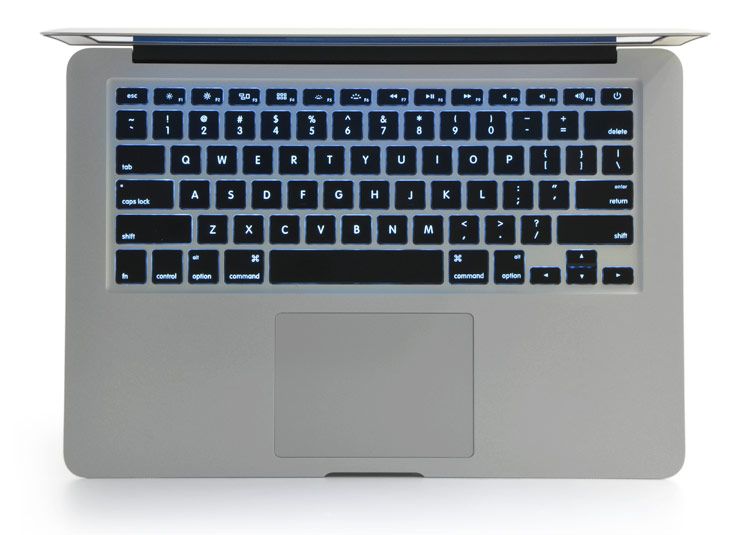


Why would I buy a Lenovo T-series? It looks virtually indistinguishable from any laptop made in the late 1990s and still has that absurd red joystick. I hope they've improved the trackpad because those were nearly unusable before.
I know there's Lenovo fans, ThinkPad fanatics, but they look like junk and feel even crappier. The new Dell Ubuntu laptop is the only thing I can think of as a reasonable alternative to what Apple's doing.